Rhythm for iPhone
Rhythm — Find your rhythm. Fast gently. Live fully.
Tap when you start eating and when you're done. Your day lives on one 24-hour ring, and Kapi the capybara keeps you company.
Coming soon to the App Store · For iPhone with iOS 18 or later
Meet KapiHow it works
Tap Start eating at your first meal. Tap Done eating after your last. The time in between is your fast, and Rhythm keeps the record.
A day with Kapi.
Kapi lives on the same screen as your ring: awake while you eat, napping while you fast.
Morning — Water first.
Last night's fast is still running. Share a glass of water with Kapi; water is there any time.
Start eating — The window opens.
One tap at your first meal. While you're not fasting, feed Kapi corn, pumpkin, watermelon or a bundle of grass.
Afternoon — Kapi wanders.
Kapi roams the screen, plays with a yuzu and says hello when you come back.
Done eating — Your fast begins.
One tap after your last meal. Kapi yawns, stretches and settles in.
Night — A hot spring, with yuzu.
During a fast, run Kapi a bath. Tap, hold, stroke or tickle any time.
While you sleep — Kapi naps while you fast.
Never hungry, never sad, never disappointed in you. In the morning, the ring begins again.
Your plan, your day.
Choose 12:12, 14:10, 16:8 or a window of your own. Late dinner, early breakfast, a day off: drag the window on the ring or pick the times, just for today or for every day. Back to your plan in one tap.
Forgot to tap?
Tap the time to correct it, up to 48 hours back. Older days are edited in Journey.
Rhythm never asks you to make up for anything.
Calm on every screen.
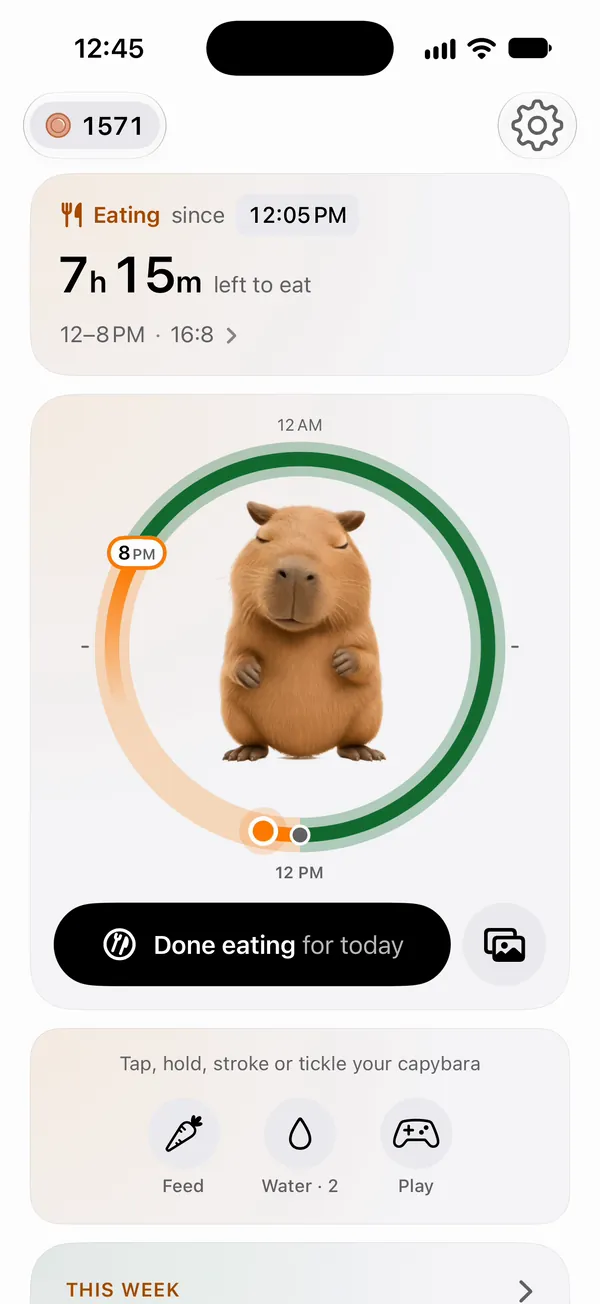
Every launch
The ring draws itself to now, Kapi leans in, and the first card turns to your status.
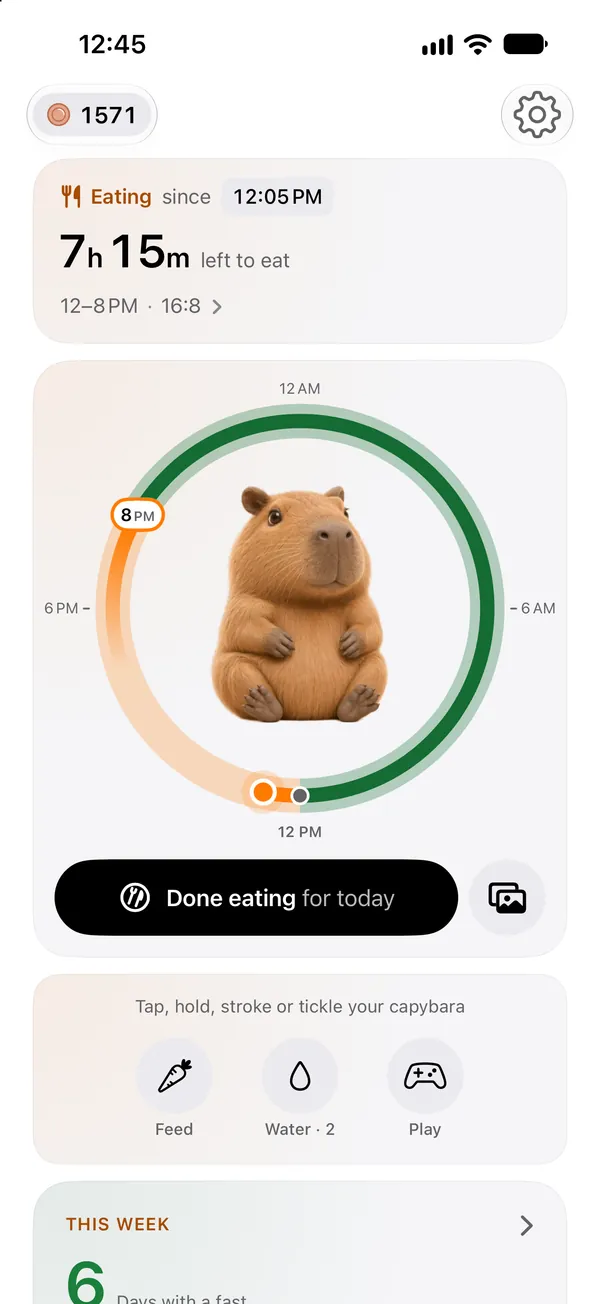
Today
Pale is your plan, solid is what you did, and the dot is now.
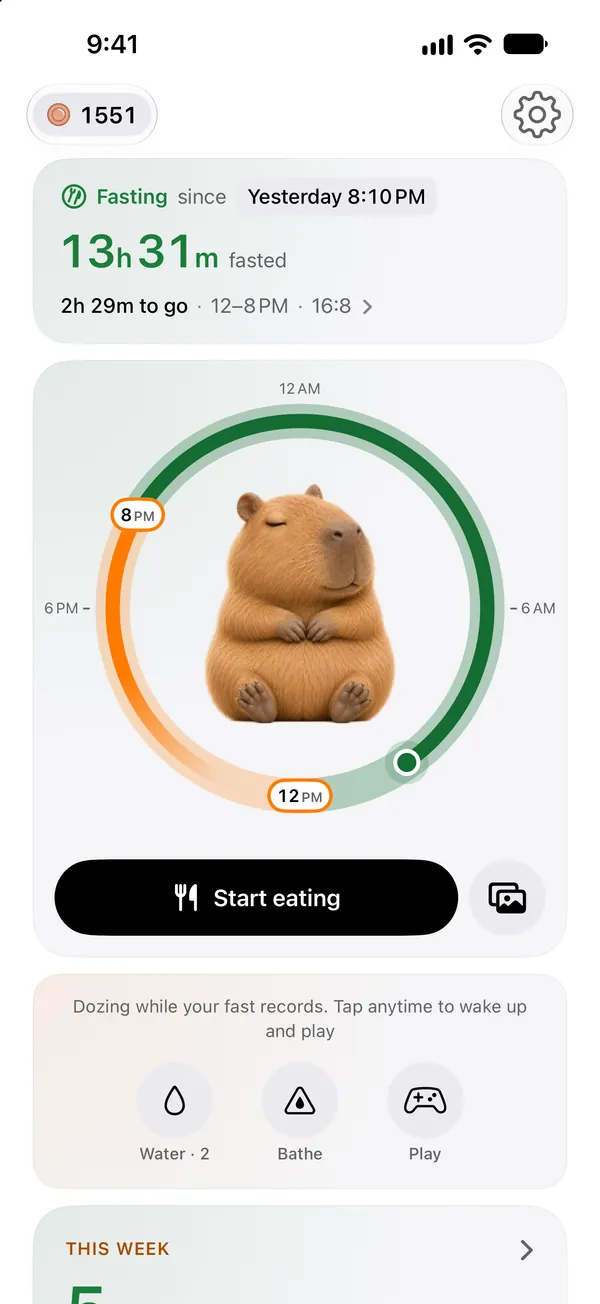
Fasting
The card says whether you're eating or fasting, since when, and how long is left.
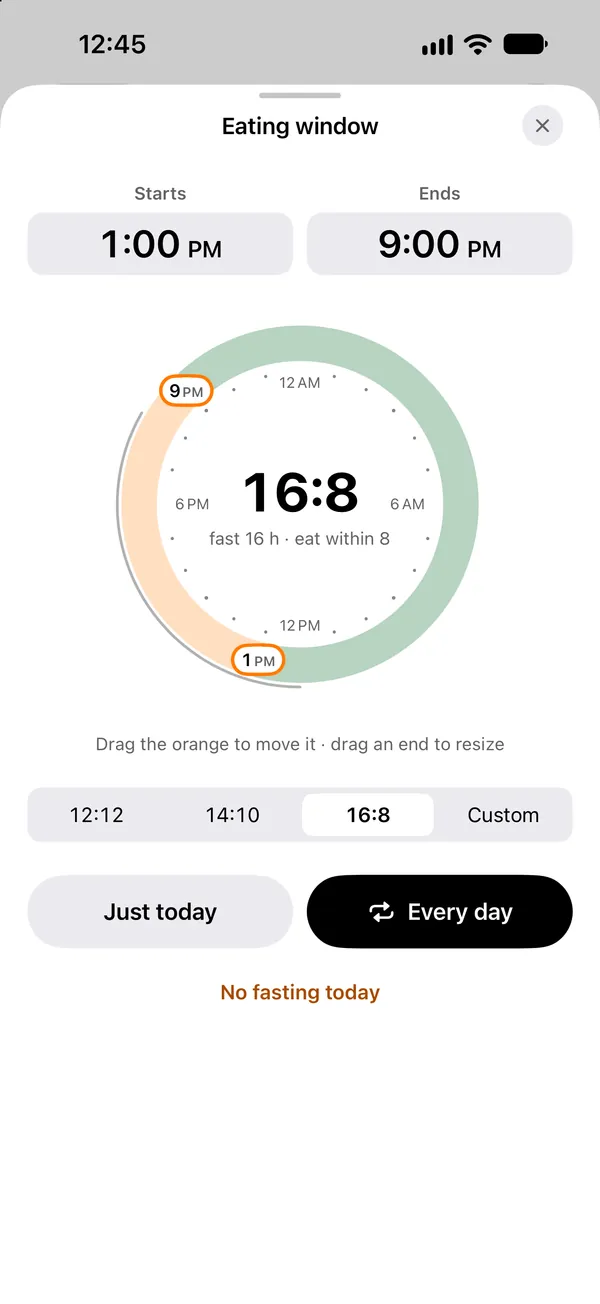
Adjust the window
Move today's window, just for today or for every day.
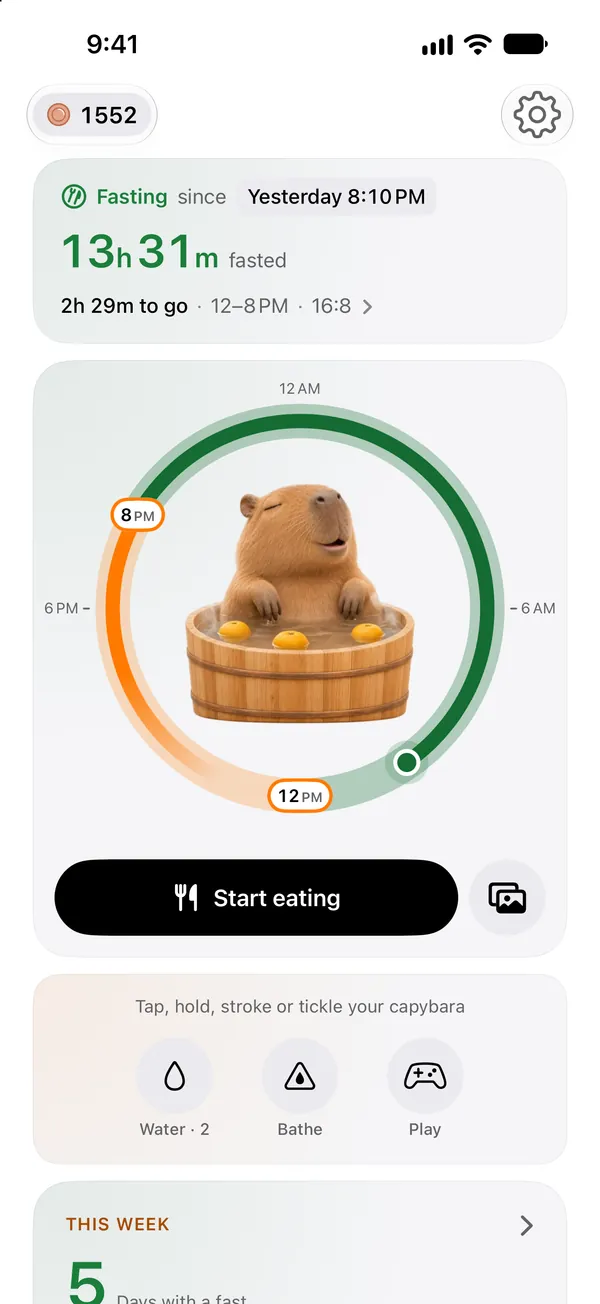
Kapi's hot spring
Bath time during a fast, with yuzu floating by.
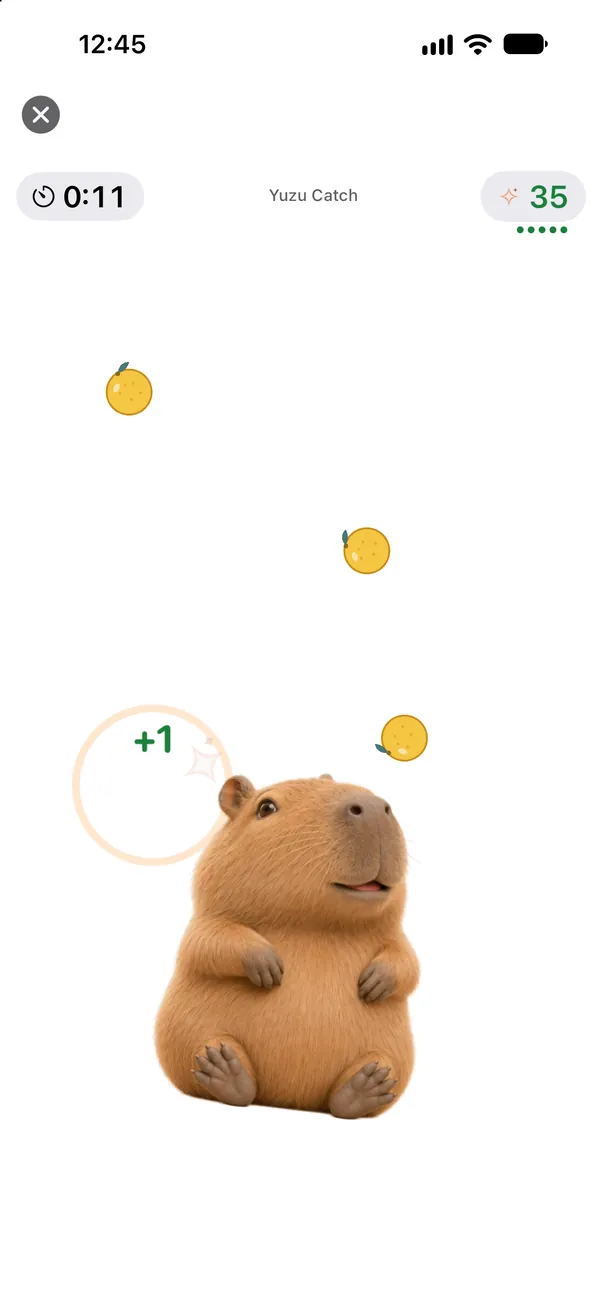
Yuzu Catch
About 30 seconds a round. One to three stars and a personal best.
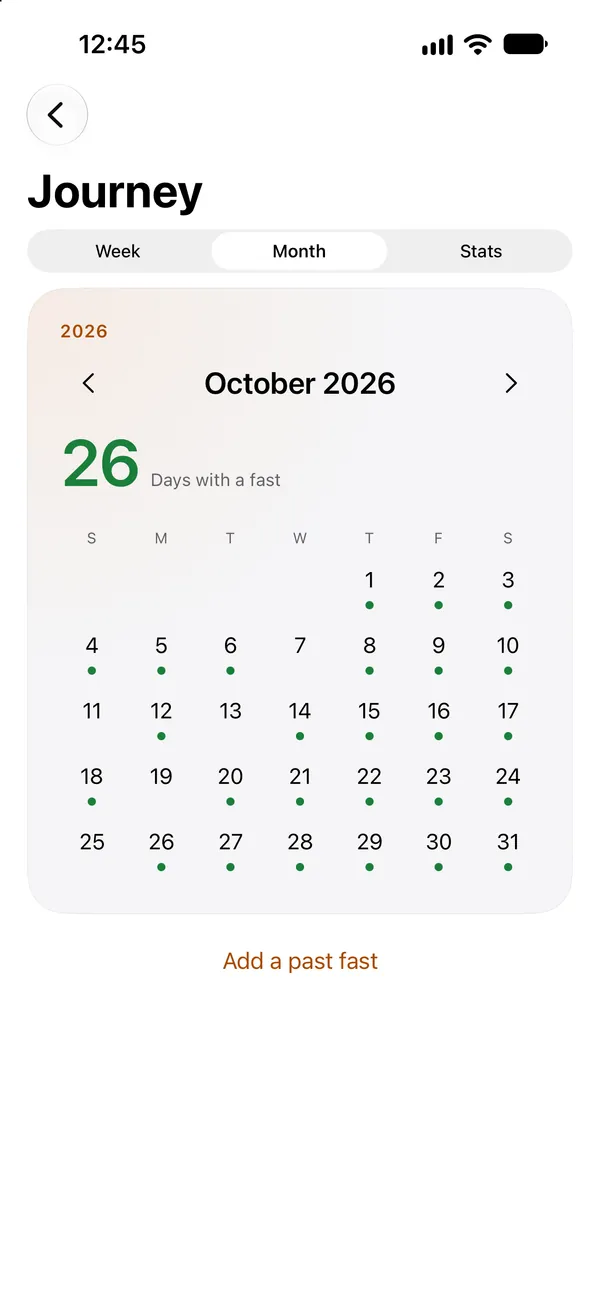
Journey
This week, a month calendar and your pattern. Every fast counts on its own.
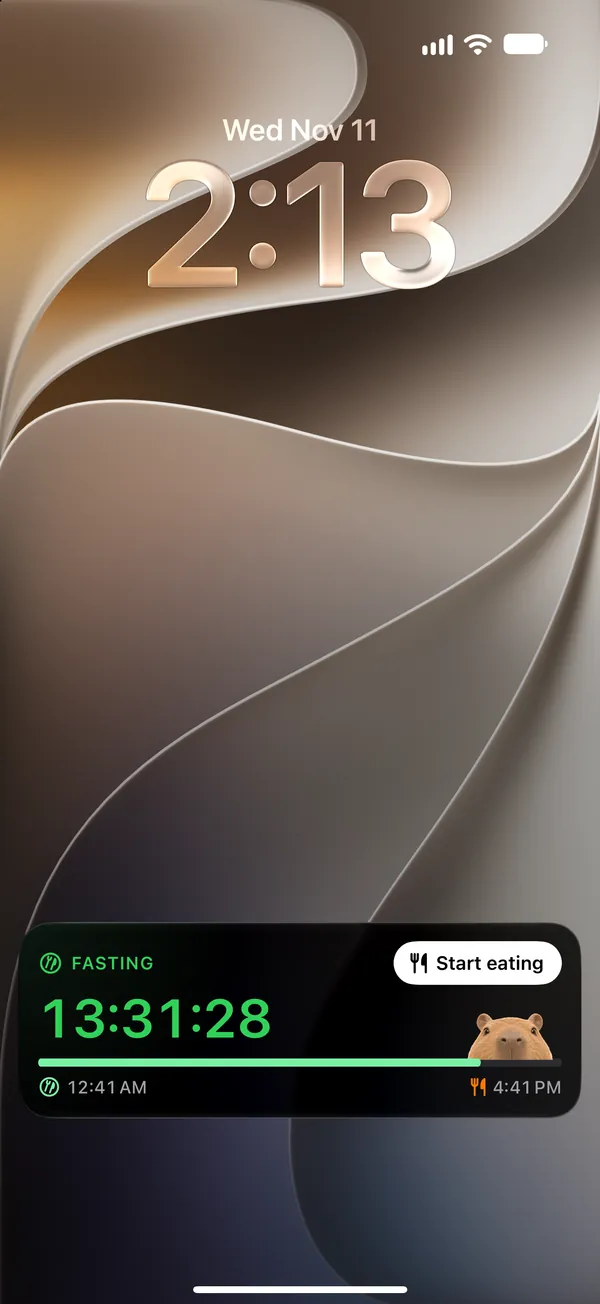
Live Activity
The running fast on your Lock Screen and in the Dynamic Island.
iPhone Duo: Open it up.
Rhythm has layouts for both displays of iPhone Duo: the cover display in your hand, and the inner display with your ring and your week side by side.
Record without opening the app.
Lock Screen
A Live Activity shows the running fast on the Lock Screen and in the Dynamic Island. You can turn it off.
Widgets
Home Screen widgets in two sizes, with a button for Start eating and Done eating.
Siri and Shortcuts
A Control Center control and Siri phrases record without opening the app.
Quiet reminders
Optional notifications when your eating window opens or closes, and when a fast reaches its planned end.
Meal photos
Take a photo or choose one, and its time becomes the meal's time. No calories, no scores.
Coins and levels
Earned by completing a fast of any length, logging water, opening the app, time with Kapi and playing. They can't be bought and never go down.
Small games
Pop bubbles, catch floating yuzu. About 30 seconds a round, no lives, nothing to lose.
Made for everyone
Light and dark appearance, VoiceOver, Dynamic Type and Reduce Motion.
Nine languages
Pick one in Settings → Language and the whole app switches at once, with no restart. Siri and Shortcuts keep your iPhone's language.
Your rhythm stays yours.
0 accounts · 0 ads · 0 trackers · 0 servers of ours
No sign-up and no analytics. What you record stays on your iPhone and, if you choose, syncs through your own iCloud, which we cannot read. Export or delete everything at any time in Settings.
Read the privacy policyNo streaks. No penalties.
Every fast counts on its own, ending early is fine, and a day without a fast is simply a day. Coins never go down, and Kapi is always content.
Before you start
Rhythm is a wellness app, not a medical device, and it does not give medical advice. Intermittent fasting is not suitable for everyone. It may be unsuitable if you are under 18, are pregnant or breastfeeding, have or have had an eating disorder, or have a condition or take medication that makes fasting risky, such as diabetes. If any of these apply to you, or you are unsure, talk to a clinician first. If you feel unwell during a fast, stop and eat.
Find your rhythm.
Coming soon to the App Store
For iPhone with iOS 18 or later · In English, Español, Português (Brasil), Deutsch, Français, 日本語, 简体中文, 繁體中文 and 한국어
Rhythm Privacy Policy · Rhythm Support · support@matrixbunny.com